



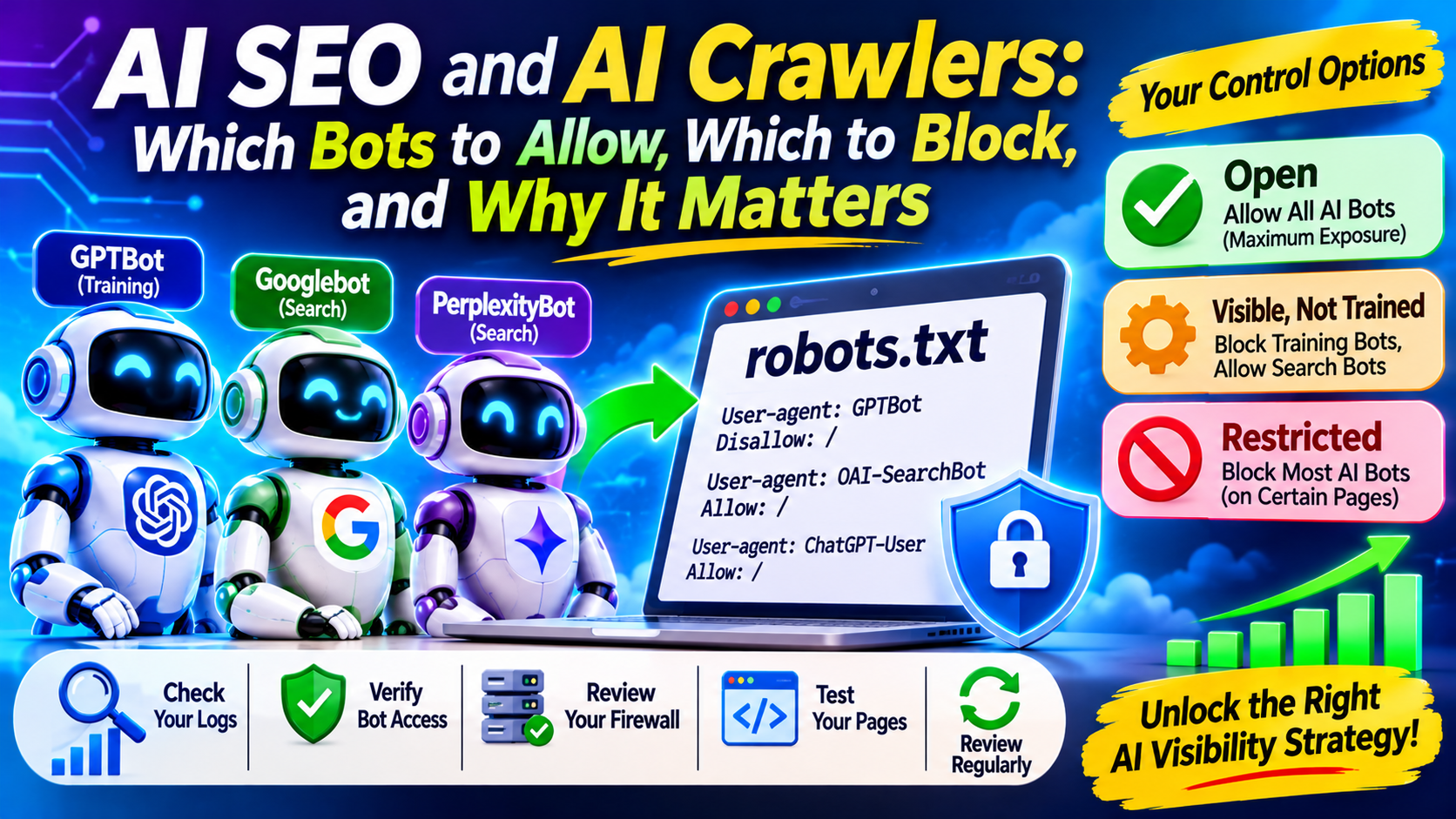
Open your server logs and you will find a new kind of visitor: bots working for AI products. Your robots.txt file now decides more than whether Google can crawl your pages. It affects whether your content trains models, appears in AI answers, or gets fetched when a user asks about it. This guide explains the bots, the controls that actually work, and how to choose a policy. Sarkar SEO treats this as the technical foundation of AI SEO, because no content strategy works if the wrong bot is blocked.
Three Jobs, Not One Bot
AI crawlers do different things, and mixing them up causes most mistakes. One practical guide sorts them into search and citation, where a bot builds an index so an assistant can surface your pages, and user-initiated fetching, where a page is retrieved because someone asked about it right now. A third job, training models on public content, sits alongside these. Blocking a training bot is a different decision from blocking a search bot.
OpenAI: Three Bots, Three Decisions
OpenAI’s documentation says that each robots.txt setting is independent of the others, so a site can allow OAI-SearchBot to appear in search results while disallowing GPTBot to signal that its content shouldn’t train generative models. It also states that sites opted out of OAI-SearchBot will not be shown in ChatGPT search answers, though they can still appear as navigational links. Changes can take about 24 hours to take effect. openaiopenai
The third bot behaves differently. ChatGPT-User acts on a user’s request, so OpenAI says robots.txt rules may not apply to it. A December 2025 documentation update removed earlier language implying compliance, as PPC Land reported. If you need to keep a page away from user-triggered fetches, robots.txt is not a reliable tool. Authentication or server-level rules are.
Google: There Is No Separate AI Crawler
Many site owners assume blocking Google-Extended removes them from AI Overviews. It does not. Google’s own wording, quoted by several sources, says it does not impact a site’s inclusion in Google Search nor is it used as a ranking signal. Google-Extended is not a crawler. Googlebot does the fetching, and the token governs the downstream use, mainly Gemini training and certain grounding uses.
Because AI Overviews and AI Mode are Search features, the controls that limit them are nosnippet, data-nosnippet, max-snippet and noindex. There is a cost. Using them to stay out of AI answers also removes your snippet from ordinary results.
One development to watch: Google began testing a Search Console control in June 2026 that lets eligible publishers exclude content from AI Overviews, AI Mode and generative Discover features, limited at first to a subset of UK site owners. That comes from a single secondary report, so confirm availability in your own Search Console before planning around it.
Other Engines
Anthropic reportedly runs the same three-way split, with separate crawlers for training, search and user requests. Perplexity works similarly. Its user-triggered agent, Perplexity-User, generally ignores robots.txt rules because the fetch is user-initiated, according to Perplexity’s own documentation. Bot names and behavior change often, so check each company’s current crawler page before you edit your file. geotoolboxsuperblog
Choose a Policy, Not a Reflex
Decide your goal first, then match your rules to it. Three common positions:
- Open. Allow all AI bots. This suits businesses that want maximum exposure, such as service firms, local businesses and most B2B companies. Without explicit rules, these bots are generally allowed by default.
- Visible but not used for training. Block training tokens while allowing search and retrieval bots. This suits publishers and creators who want citations without feeding future models.
- Restricted. Block most AI bots on specific sections, such as paid or licensed content. This suits subscription sites and premium libraries, but expect lower visibility in AI answers.
Before copying it, consider the trade-off. Google describes Google-Extended as covering Gemini training and some grounding uses, so opting out may limit how Google’s generative products use your content. Check whether that fits your goals.
You can also apply rules by folder. A site might keep its blog open for citations while restricting a gated resource library.
Verify What Actually Happens
A robots.txt file states your intent, but it does not prove behavior. Run these checks:
- Read your logs. Look for the bot tokens above and note which pages they request and how often.
- Verify the source. Anyone can fake a user-agent string. OpenAI, for example, publishes IP ranges so you can confirm a request is genuine.
- Audit your firewall and CDN. Security tools sometimes block AI bots by default, which silently cancels an “open” policy. Platform settings have also changed over time, so recheck them after updates.
- Test critical pages. Make sure important content appears in the HTML a bot receives, not only after scripts run.
- Review quarterly. New bots and policy changes appear regularly.
Common Mistakes
- Blocking everything in a panic, then wondering why no AI tool mentions you.
- Treating llms.txt as an access control. It is not one, and Google has said in writing that it ignores it.
- Assuming one rule covers every engine. Each operator has its own tokens and its own exceptions.
- Forgetting that blocking does not delete what a bot already collected.
