



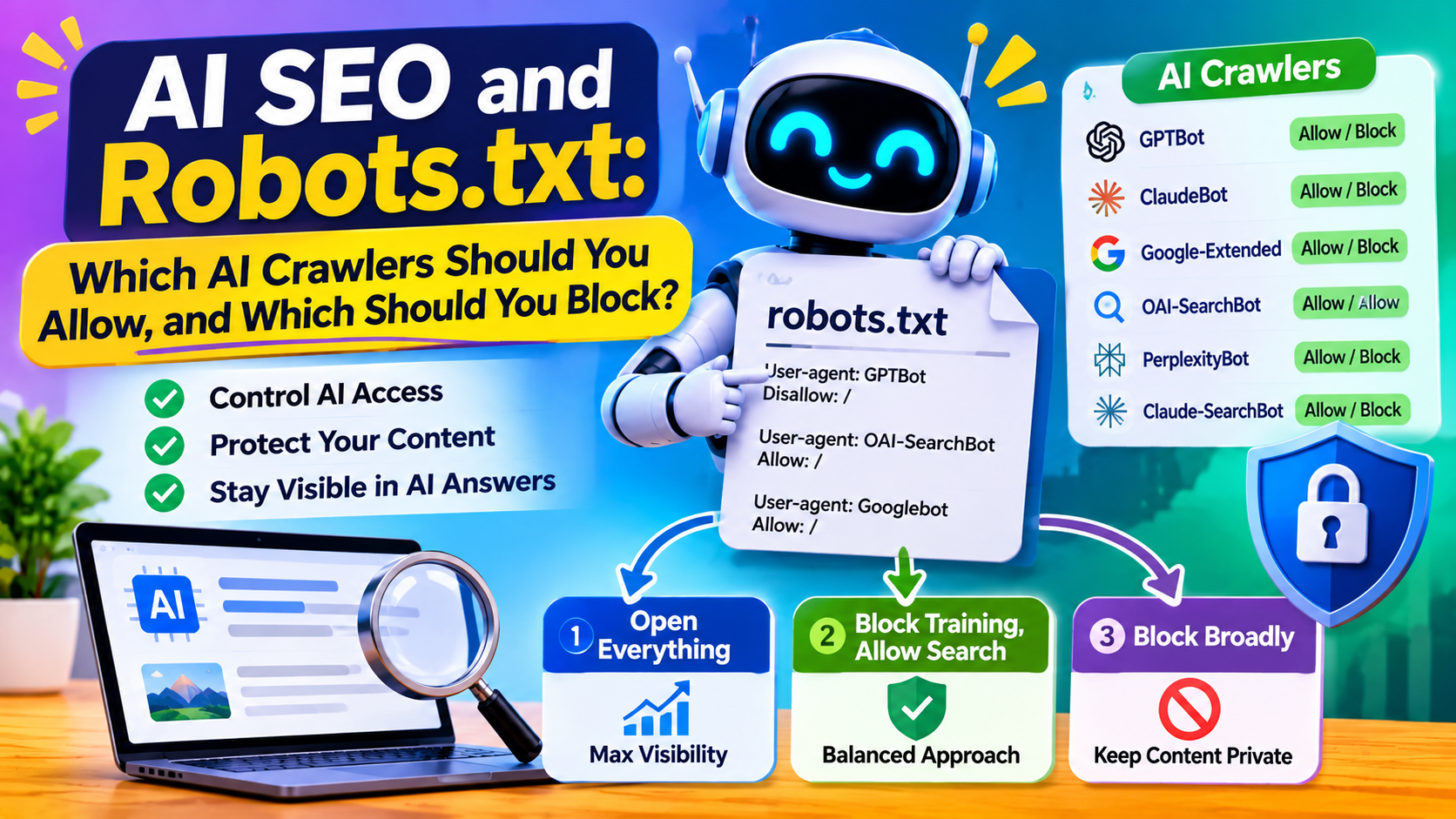
Most AI SEO advice focuses on what to publish. Almost none of it covers a prior question: can AI systems reach your pages at all, and on what terms? A single misplaced line in robots.txt can remove you from AI answers, while a missing one can hand your content to model training without any return. Both mistakes are easy to make, and both are easy to avoid.
This guide explains the three jobs AI crawlers do, how to decide on each, and how to check that your setup does what you think.
Not All AI Bots Do the Same Job
The most important idea is that AI crawlers fall into different categories. One technical explainer splits them this way: training crawlers such as GPTBot, ClaudeBot, CCBot and Google-Extended collect data to bake into a model, while AI search crawlers such as OAI-SearchBot, Claude-SearchBot and PerplexityBot index pages for answers that can cite the source. flaviocopes
A third group acts on a user’s behalf. ChatGPT-User fetches a page for a user request, and OpenAI says robots.txt rules may not apply to this user-initiated agent. Claude and Perplexity have similar user-triggered fetchers, according to a vendor-neutral reference table.
The Google Exception
Google works differently from the others. Its AI Overviews are fed by normal search crawling, not by a separate AI bot. A crawler-control tool puts it plainly: Google-Extended only controls Gemini and Vertex AI training. It does not affect Google Search crawling or ranking, which is governed by Googlebot.
The practical consequence is significant. Blocking Google-Extended won’t hide you from AI Overviews, and blocking Googlebot would remove you from search entirely. One reference warns of exactly this confusion, noting that Google-Extended affects training, not Overviews.
Three Realistic Strategies
Strategy 1: Open everything
If maximum visibility is your goal and you’re comfortable with training use, you can allow all of them. One guide describes this as the choice if your strategy is maximum citability. It suits brands that benefit from being widely known, such as service businesses and publishers who want their ideas distributed.
Strategy 2: Block training, allow search
This is the most common middle path. A configuration guide describes the idea: if you want to appear in AI answers as a source but don’t want your content used free to train next-generation models, allow search crawlers and block training crawlers. In practice, that means disallowing GPTBot, ClaudeBot, CCBot and Google-Extended while leaving OAI-SearchBot, Claude-SearchBot and PerplexityBot open.
This protects your content from training while keeping you eligible for citations. It suits businesses whose written expertise is the product.
Strategy 3: Block broadly
Some publishers, especially those who license content or depend on subscriptions, block most AI bots. This is a legitimate commercial choice, but understand the cost. One analyst’s advice is to think twice before blocking search crawlers such as OAI-SearchBot and Claude-SearchBot, because being the cited source in an AI answer can function like a first-page ranking. That opinion is context, not evidence, so weigh it against your own revenue model. flaviocopes
The Mistakes That Cost Visibility
At Sarkar SEO, the same few problems appear whenever we review technical access for AI SEO.
Copying a “block all AI” snippet. Many templates block everything, including the bots that would cite you. One guide warns against “one-click block all AI” boilerplate that harms visibility.
Assuming robots.txt is a lock. It is a request, not security. Well-behaved crawlers comply, but malicious or unruly crawlers can ignore it. If content must be protected, use authentication or server-level rules.
Ignoring your CDN or host. Security tools can block bots before they ever read your robots.txt. One guide describes CDN settings with separate controls for search, training and agents, and notes that a blanket block option can also stop mixed-use crawlers and cost you regular search presence. Defaults vary and change, so check your own dashboard.
Blocking by accident with a wildcard. A bot with its own rule group takes precedence over a general one, so order and specificity matter. After editing, test the file rather than reading it by eye.
Forgetting render access. If your key content is hidden behind scripts that bots don’t run, allowing access won’t help. Make sure important text is present in the HTML delivered to crawlers.
A Simple Setup and Test Routine
- Decide your policy. Choose one of the three strategies based on your business model, not on fear or hype.
- List the current bot names. Take them from the official documentation of OpenAI, Anthropic, Perplexity, Google and others.
- Write separate rules per bot. Don’t rely on a single wildcard.
- Check your CDN and security tools. Make sure they don’t override your intent.
- Test the live file. Use a robots.txt tester and request a few pages as different user agents.
- Review server logs monthly. See which bots actually visit and whether blocked ones comply.
- Re-check quarterly. Crawler names and policies change.
Some sites also experiment with newer usage-preference signals. One example guide shows a directive declaring preferences such as search allowed and training not allowed, but support is inconsistent and I found no independent confirmation that major engines honor it. Treat it as optional and unproven, not as a replacement for per-bot rules.
What Access Control Can’t Do
Allowing a crawler doesn’t earn you citations. It only removes a barrier. Whether you’re quoted depends on the same factors as ever: useful, original and trustworthy content. Think of robots.txt as the front door, and your pages as the reason anyone walks in.
It also isn’t a one-time job. As AI products launch, split their crawlers or change policies, last year’s file may be wrong. A short quarterly review prevents silent losses.
