



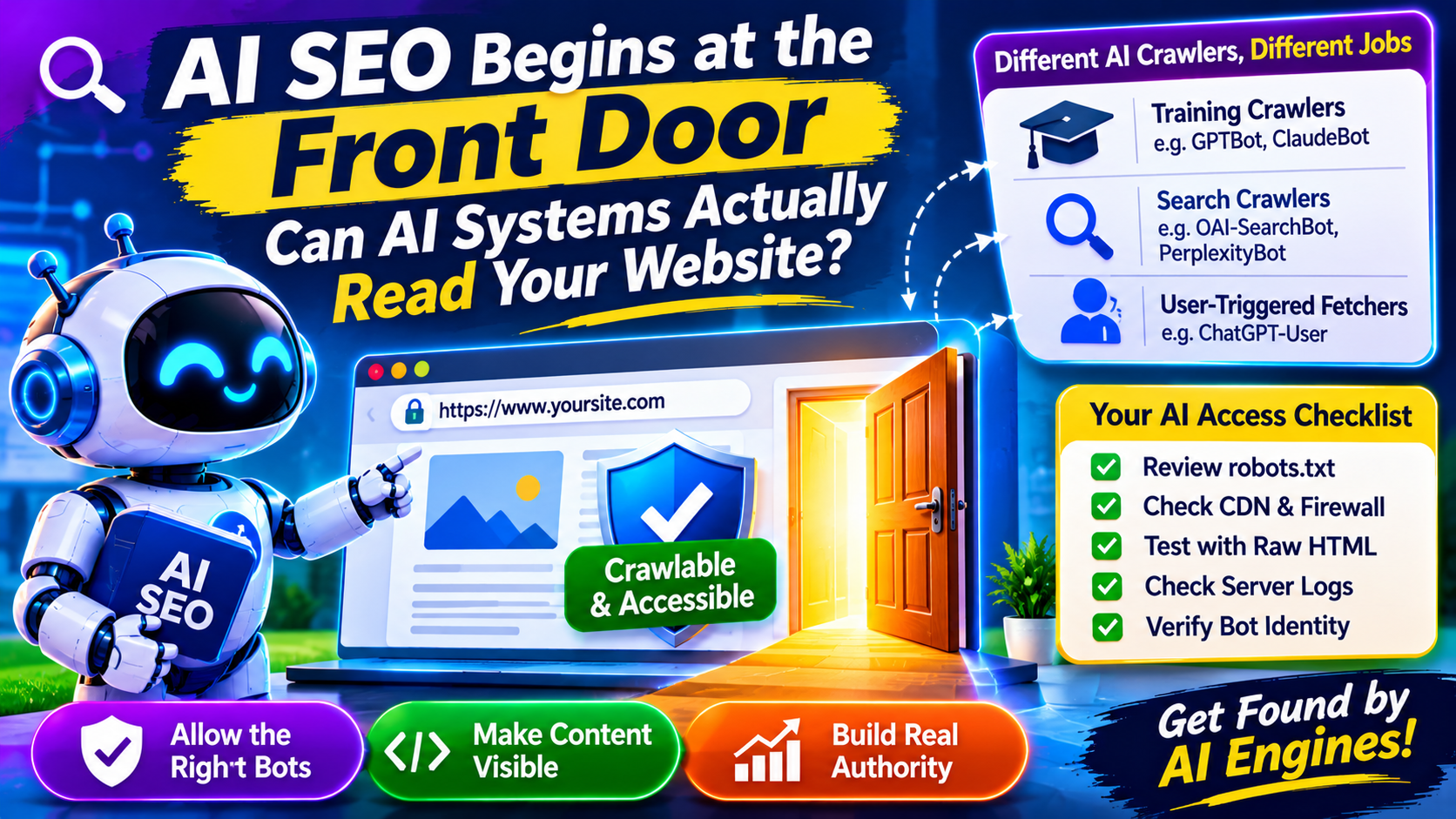
Most AI SEO conversations jump straight to content: how to write for citations, what to say, how to structure answers. But there’s a step before all of that, and it’s the one most often skipped. If an AI system can’t reach your page, or reaches it and sees nothing, the quality of your writing is irrelevant.
This article is about that first step. It is the unglamorous access layer, and it’s where Sarkar SEO starts any AI visibility review.
There Is No Single “AI Crawler”
Site owners often talk about “AI bots” as one group. In practice, the bots serve different purposes, and treating them identically leads to expensive mistakes.
Industry guides on crawler behavior, including those from Superblog and Anagram, split them into roughly three jobs:
- Training crawlers gather content to build future models. Examples are GPTBot (OpenAI) and ClaudeBot (Anthropic).
- Search crawlers build the indexes that let an assistant retrieve and cite pages. Examples are OAI-SearchBot, Claude-SearchBot, and PerplexityBot.
- User-triggered fetchers load a page because a person asked an assistant about it. Examples are ChatGPT-User and Claude-User.
The consequence is simple. Blocking a training bot is an opt-out of model training. Blocking a search bot can remove you from AI answers and citations. These are different decisions with different business outcomes, so make them separately.
Google works differently. Googlebot handles crawling for Search, including AI Overviews. Google-Extended is a control token, not a separate crawler, and several sources agree that blocking it affects Gemini training and grounding but not your Search rankings or AI Overview presence. Blocking Googlebot itself would remove you from both.
What Real Sites Are Doing
Zyte’s analysis of robots.txt files found that roughly four in ten sites block AI bots in some form. It also showed a pattern: pure training crawlers are blocked far more lopsidedly than search-linked ones. OAI-SearchBot was the most balanced in their dataset, while ChatGPT-User and PerplexityBot were blocked at higher ratios.
That suggests many publishers are making deliberate choices, such as blocking training while allowing retrieval. But a Pixis guide points to a less deliberate failure: aggressive CDN or firewall settings that treat AI search bots like scrapers and block them by default, often unnoticed by the site owner. If that’s happening to you, a perfectly written robots.txt won’t help, because the request never reaches it.
One caution on sources: they don’t fully agree on how OpenAI’s bots interact. Pixis says blocking GPTBot without explicitly allowing OAI-SearchBot can still remove you from ChatGPT search, while Anagram says OpenAI lets you allow one and disallow the other. Because vendors change documentation, write explicit rules for each bot and confirm against each company’s current published guidance.
The Test Your Browser Won’t Show You
Suppose crawlers are allowed in. Can they read your page?
Vercel and MERJ analyzed crawler traffic across Vercel’s network and reported that GPTBot and ClaudeBot downloaded JavaScript files (about 11.5% and 23.84% of requests) but did not execute them. In the month measured, they recorded about 569 million GPTBot fetches and 370 million ClaudeBot fetches, against 4.5 billion for Googlebot. Later write-ups extend the same assumption to other AI crawlers, though several of those are secondary summaries rather than independent tests.
Two cautions apply. The core study dates from December 2024, and crawler behavior may have changed since. And Google is the exception, since it renders JavaScript, though in a delayed second pass.
The practical rule: assume AI crawlers read your initial HTML and nothing more. If your headings, product details, pricing, or main copy only appear after a script runs, treat them as invisible. Browser developer tools will mislead you here, because they show the page after JavaScript has run. Use “view source” or fetch the page with a command-line tool. If your key content isn’t in that raw response, you have a rendering problem.
The usual fixes are server-side rendering, static generation, or prerendering. These tend to help classic SEO and speed as well.
A Ten-Minute Access Check
This is the sequence Sarkar SEO uses before any content work begins:
- Read your robots.txt line by line. List every AI-related user agent and mark each as allowed, blocked, or unaddressed. Unaddressed bots follow your wildcard rules, which may not be what you intended.
- Check your CDN and firewall. Look for managed bot rules, rate limits, or “AI scraper” toggles that may override robots.txt. Many platforms now offer one-click AI blocking, so confirm what is enabled.
- Fetch a key page as raw HTML. Search the response for your main heading and first paragraph. If they’re missing, fix rendering before anything else.
- Search your server logs. Look for the user-agent strings above. Seeing OAI-SearchBot or PerplexityBot with successful responses is good news. Seeing 403 errors for bots you meant to allow is a finding worth acting on.
- Verify identity before trusting a log line. Anyone can fake a user-agent string. Genuine bots publish IP ranges you can check against.
The point of the exercise is to find silent failures. Nobody sends you a warning when a bot is blocked.
Deciding Your Policy
There’s no universal answer, because this is a business decision. A few frameworks:
- Marketing sites and brands that want to be discussed: allow search and retrieval bots. Some guides also argue for allowing training bots so future models describe you correctly, but that is a judgment call, not a rule.
- Publishers with paywalled or licensed content: block training, allow limited retrieval, or block both. Your content is your product.
- Sites with sensitive or private areas: use authentication, not robots.txt. Robots.txt is a request that well-behaved crawlers honor, not a security control.
Whatever you choose, document it and review it quarterly. The list of bots changes, and a policy written once tends to rot.
What Access Doesn’t Guarantee
Being crawlable only gets you into the room. Google’s own guidance says AI features draw on standard Search systems, so content quality, relevance, and trust still decide whether you’re surfaced. Other engines make their own choices. Fixing access can’t create authority, and no one can promise citations.
But skipping it is the most avoidable way to lose. A site that blocks the bot or hides its content behind scripts is out before the competition starts.
Where to Go Next
Treat access as infrastructure: dull when it works, costly when it doesn’t. Once it’s solid, put your effort into content worth retrieving. If you’d like a second pair of eyes on your robots.txt, rendering, and server logs, Sarkar SEO can walk through the findings with you and help prioritize fixes.
