



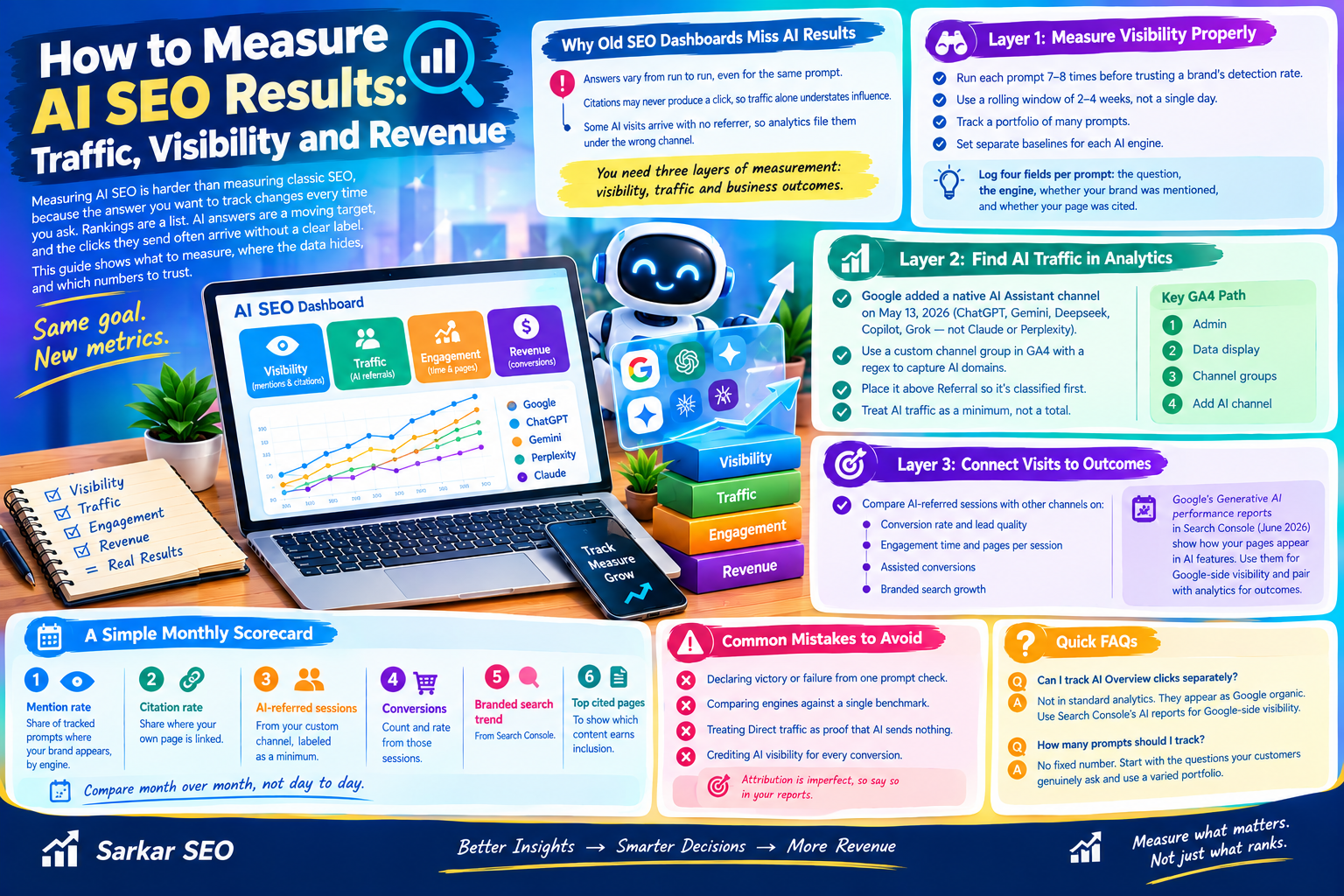
Measuring AI SEO is harder than measuring classic SEO, because the answer you want to track changes every time you ask. Rankings are a list. AI answers are a moving target, and the clicks they send often arrive without a clear label. This Sarkar SEO guide shows what to measure, where the data hides, and which numbers to trust.
Why Old SEO Dashboards Miss AI Results
A rank tracker assumes one query produces one stable result page. AI search breaks that assumption in three ways:
- Answers vary from run to run, even for the same prompt.
- Citations may never produce a click, so traffic alone understates influence.
- Some AI visits arrive with no referrer, so analytics files them under the wrong channel.
You need three layers of measurement: visibility inside AI answers, traffic that reaches your site, and business outcomes. Reading only one layer gives a distorted picture.
Layer 1: Measure Visibility Properly
The biggest mistake is checking a prompt once and recording the result. A 2026 preprint on AI search visibility ran the same prompts repeatedly across ChatGPT, Gemini, Google AI Mode and Perplexity. Within a single 24-hour window, the overlap between brand sets returned in repeated runs was only about 0.33 to 0.46 in the three industry campaigns where brand analysis was possible (on a scale where 1.0 means identical). In plain terms, the same question can name quite different brands minutes apart.
The authors recommend treating visibility as a probability rather than a position. Their practical suggestions:
- Run each prompt several times, roughly seven to eight, before trusting a brand’s detection rate.
- Use a rolling window of two to four weeks rather than a single day.
- Track a portfolio of many prompts, since one or two prompts reflect their own quirks.
- Set separate baselines for each AI engine.
Treat these numbers as a starting method, not a standard. The study covered four Swiss-German market campaigns over one period, brand detection used simple text matching, and the paper did not test whether optimization changes inclusion.
For your own tracking, log four fields per prompt: the question, the engine, whether your brand was mentioned, and whether your page was cited. Mentions and citations are different outcomes, so record them separately.
Layer 2: Find AI Traffic in Analytics
According to one GA4 analysis, Google added a native AI Assistant channel on May 13, 2026. It recognizes ChatGPT, Gemini, Deepseek, Copilot and Grok, but not Claude or Perplexity, and it does not reclassify past data. Check Google’s current documentation, since the list can change.
Two details cause the most confusion. A UTM tag with a source but no medium can push sessions into Unassigned. And Direct often means no referrer arrived at all, which no report setting can recover.
A practical fix is a custom channel group. In GA4, go to Admin, then Data display, then Channel groups, and add a channel that matches AI domains with a regular expression. Place it above Referral so those sessions are classified first. Because custom groups are evaluated when you run a report, they can reclassify historical sessions within your data retention window.
At Sarkar SEO, we treat any AI traffic figure as a minimum, not a total, because unreferred visits will always be hidden.
Layer 3: Connect Visits to Outcomes
Traffic volume is a weak success measure. Instead, compare AI-referred sessions with other channels on:
- Conversion rate and lead quality
- Engagement time and pages per session
- Assisted conversions, where AI is an early touchpoint
- Branded search growth, which can signal that people saw your name in an answer and searched for you later
Google introduced Generative AI performance reports in Search Console in June 2026, giving site owners an official view of how pages appear in Google’s AI features. Use them for Google-side visibility, and remember that a visibility report does not show what visitors did on your site. Pair it with analytics for outcomes.
A Simple Monthly Scorecard
Keep it small enough to review in thirty minutes:
- Mention rate: share of tracked prompts where your brand appears, by engine.
- Citation rate: share where your own page is linked.
- AI-referred sessions: from your custom channel, labeled as a minimum.
- Conversions from those sessions: count and rate.
- Branded search trend: from Search Console.
- Top cited pages: to show which content earns inclusion.
Compare month over month, not day to day, and note any site changes so you can connect cause and effect carefully.
Mistakes to Avoid
- Declaring victory or failure from one prompt check.
- Comparing engines against a single benchmark.
- Treating Direct traffic as proof that AI sends nothing.
- Crediting AI visibility for every conversion. Attribution here is imperfect, so say so in reports.
Can I track AI Overview clicks separately? Not in standard analytics. Those clicks appear as Google organic, so use Search Console’s AI reports for Google-side visibility.
How many prompts should I track? There is no fixed number. The research above favors a varied portfolio over a handful, so start with the questions your customers genuinely ask.
