



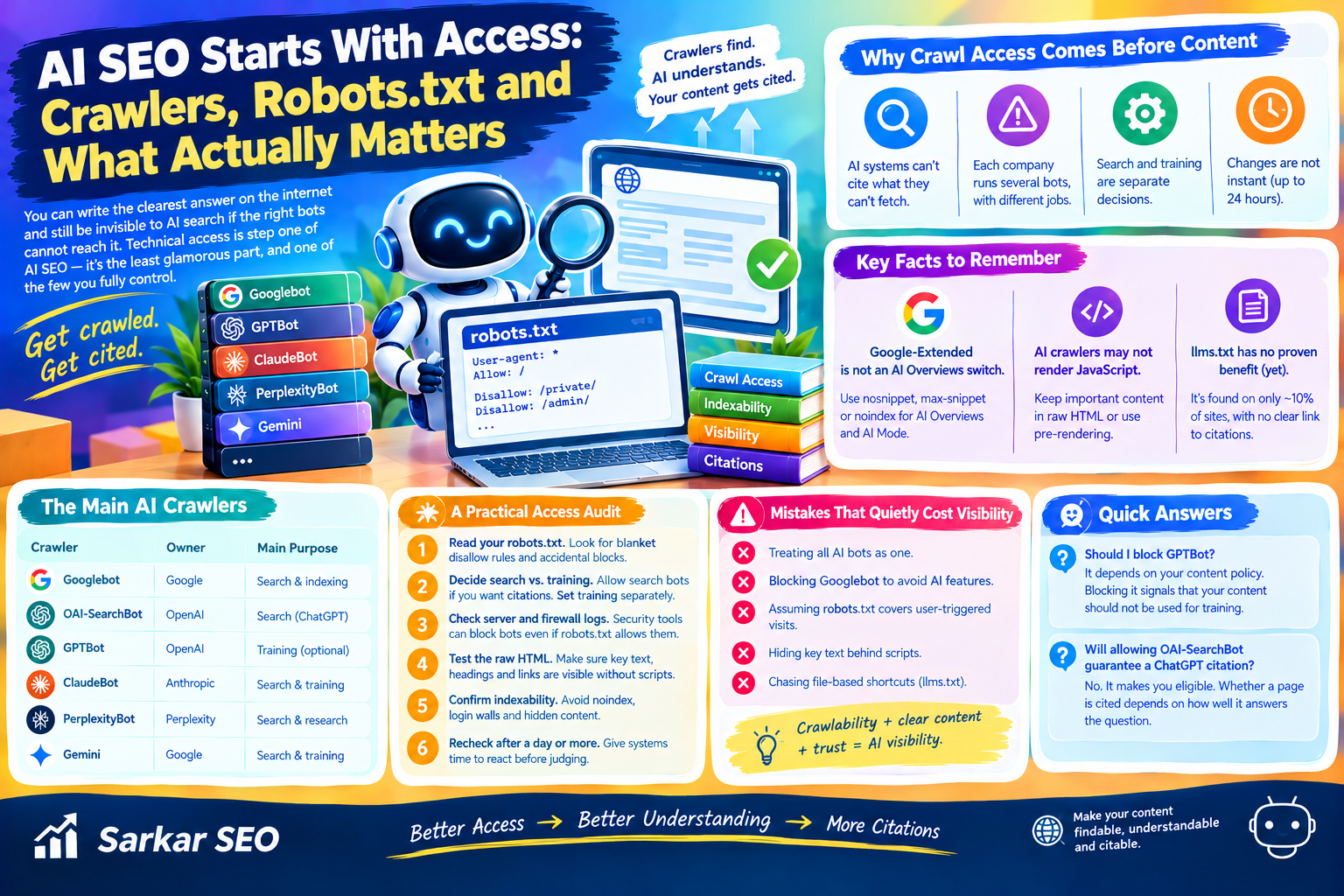
You can write the clearest answer on the internet and still be invisible to AI search if the right bots cannot reach it. At Sarkar SEO, we treat technical access as step one of AI SEO: it is the least glamorous part, and one of the few you fully control. This guide explains which crawlers matter, what blocking each one really does, and which popular tactics have no proof behind them.
Why Crawl Access Comes Before Content
AI answer systems cannot cite what they cannot fetch. That sounds obvious, yet many sites block AI bots by accident, through a blanket robots.txt rule, a security tool or a hosting default. Others block them on purpose, then wonder why they never appear in ChatGPT answers.
The key point is that there is no single “AI crawler.” Each company runs several bots, each with a different job, and each is controlled separately.
Search and training are separate decisions. OpenAI states that each setting is independent, so you can allow OAI-SearchBot for visibility while blocking GPTBot from training. Blocking everything with one rule removes you from search answers too.
Changes are not instant. OpenAI says search systems can take roughly 24 hours to adjust after a robots.txt update. Do not judge a change on the same day.
Google-Extended is not an AI Overviews switch. It governs Gemini training and grounding. According to reporting based on Google’s documentation, limiting how your text appears in AI Overviews and AI Mode relies on snippet controls such as nosnippet, max-snippet or noindex, which also affect normal search results. Blocking Googlebot to avoid AI features would remove you from Search entirely.
Do AI Crawlers Read JavaScript?
Here the evidence is older, so treat it carefully. In a December 2024 study with MERJ, Vercel found that none of the major AI crawlers it tested rendered JavaScript. That list included OpenAI’s crawlers, ClaudeBot and PerplexityBot. ChatGPT and Claude requested JavaScript files, but did not run them. Gemini, which uses Google’s infrastructure, did render JavaScript.
If that still holds for the bots you care about, a page whose main content loads only after scripts run may look empty to them. Crawler behavior changes, so verify it rather than assume. A quick test: view your page source, or request it with a tool that does not run scripts, and check whether your key answer text appears in the raw HTML. If it does not, serve it with server-side rendering or pre-rendering.
Does llms.txt Help?
Not on current evidence. SE Ranking crawled about 300,000 domains in a study reported in November 2025 and found the file on roughly 10% of them. It found no meaningful relationship between having llms.txt and how often a domain was cited by major language models. Removing the factor from their model even slightly improved its accuracy.
The researchers framed the result as “not yet,” and correlation cannot prove the file has no effect. Neither Google nor OpenAI’s crawler documentation says it is a signal. The file is cheap to add, but it should not take priority over crawlability, clear content and trust signals.
A Practical Access Audit
Sarkar SEO uses a simple order of operations for technical AI visibility. You can run it yourself in an afternoon.
- Read your robots.txt. Look for blanket disallow rules, and for bots you blocked without meaning to.
- Decide search versus training. Allow the search-facing bots if you want citations. Choose separately whether to allow training bots, based on your business and content policy.
- Check server and firewall logs. Security tools sometimes block bots that robots.txt allows. Logs show who actually reached your pages.
- Test the raw HTML. Confirm important text, headings and links exist without scripts running.
- Confirm indexability. Pages marked noindex, blocked by login walls or hidden behind forms are poor candidates for any search system.
- Recheck after a day or more. Give systems time to react before drawing conclusions.
Mistakes That Quietly Cost Visibility
- Treating all AI bots as one. Blocking training and blocking search are different outcomes.
- Blocking Googlebot to avoid AI features. That removes you from Google Search itself.
- Assuming robots.txt covers user-triggered visits. Documentation notes it may not apply to actions a person starts.
- Hiding key text behind scripts. If a bot cannot see it, it cannot quote it.
- Chasing file-based shortcuts. Skipping fundamentals for llms.txt is poor value on current evidence.
Should I block GPTBot? It depends on your content policy. Blocking it signals that your content should not be used for training, and OpenAI says this is independent of search settings.
Will allowing OAI-SearchBot guarantee a ChatGPT citation? No. It makes you eligible. Whether a page is cited depends on how well it answers the question.
